
“This is the vital piece I need”: How Thomas made his smart meter work for him with Sense
Thomas has always been the guy who turns off the lights when he leaves a room. He runs ceiling fans in every room, turns down the thermostat when he doesn’t need it, and has always been conscious of not wasting energy.
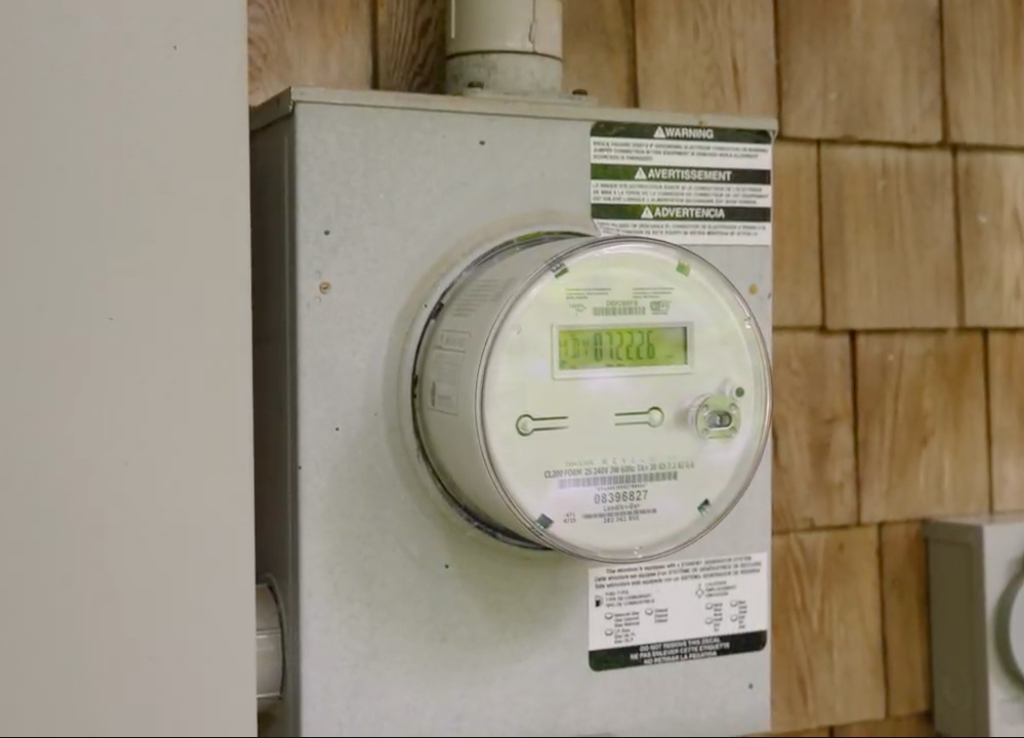

So when his utility installed a new smart meter, he didn’t see it as something to worry about. He saw an opportunity.
“I was excited to get a smart meter,” he says. “The more data you have, the easier it is to change things.”
From a monthly bill to a daily picture
Not everyone in his neighborhood felt the same. On his local neighborhood app, Thomas watched complaints about higher bills pile up after the new meters went in. “I was worried about that because I’d read so many things about it,” he says.
Then a week or two after his meter was installed, he downloaded the Sense App.
“As soon as I found out I could connect something to my meter and actually see my energy usage, I was thrilled,” he says. “I was like, oh, this is the trick. This is the vital piece I need.”
Instead of waiting for a bill to tell him what already happened, Thomas can see his energy use as it happens. “Instead of ‘this is what you used this month,’ I’m getting ‘here’s what you used this day,'” he says. “Big difference.”
Hunting down hidden power
Thomas knew about vampire power – the energy devices draw even when they’re sitting idle. He just never had a way to find it. “I was aware of it,” he says. “I didn’t do it until I got the Sense App. And then I was like, let’s hunt down this power. Where is it going?”
That hunt turned up a few surprises. “I didn’t realize how much my refrigerator actually turned on,” he says. It also led him to add a couple of power strips with on-off switches to things he doesn’t use every day. “There’s things you can just turn on and use, and not have it sitting waiting to be used.”
He spent a couple of days turning things off and on just to see what would change. “I made a game of it,” he says. “And it’s a game that, if I play, I can save money. I love those games.”
Peace of mind, wherever he is
Thomas checks the app “pretty much daily” for a quick look to see what’s going on. That habit paid off one night at work, when a familiar worry crept in.
“I was like, did I leave the AC on?” he says. “I pulled the app up and I was like, nope, I’m good. It was nice that I could do that.”
Proof that it’s working
Now in his second month, Thomas can compare his usage against his own history and against similar homes nearby. “It’s giving me comparisons: this is your typical Friday usage, you’re using a little less,” he says. “I love that.”
The neighborhood comparison is his favorite. “I get a kick out of ‘you use 90% less energy than your neighbors,'” he says. When he shared it with his daughter, she laughed: “That is so you, Dad.”
Thomas is on budget billing, so his savings won’t show up in his monthly payment right away. But the numbers are already moving. “My energy usage is definitely down,” he says. When he looked at his last bill, he’d used less than the same month last year, with about the same temperature outside. “It’s working. I’m paying attention.”
And he’s confident about where it’s headed. “After having this installed on my phone, checking it, and doing certain things, my electric bill will drop,” he says. “There’s no doubt.”
Sharing what he’s learned
When asked how he’d describe Sense to a neighbor, Thomas kept it simple by saying it’s “an easy way to track your energy usage and see where your money’s going.”
He’s already planning to help his neighbors get set up next!
Do you have a sense-enabled smart meter via your utility? Check to see if you’re eligible to use the Sense Home app here.*
*Please note that not all utilities utilize this eligibility tracker. If you’re eligible, you can start enjoying the real-time benefits of Sense.